Generative AI and Image Descriptions
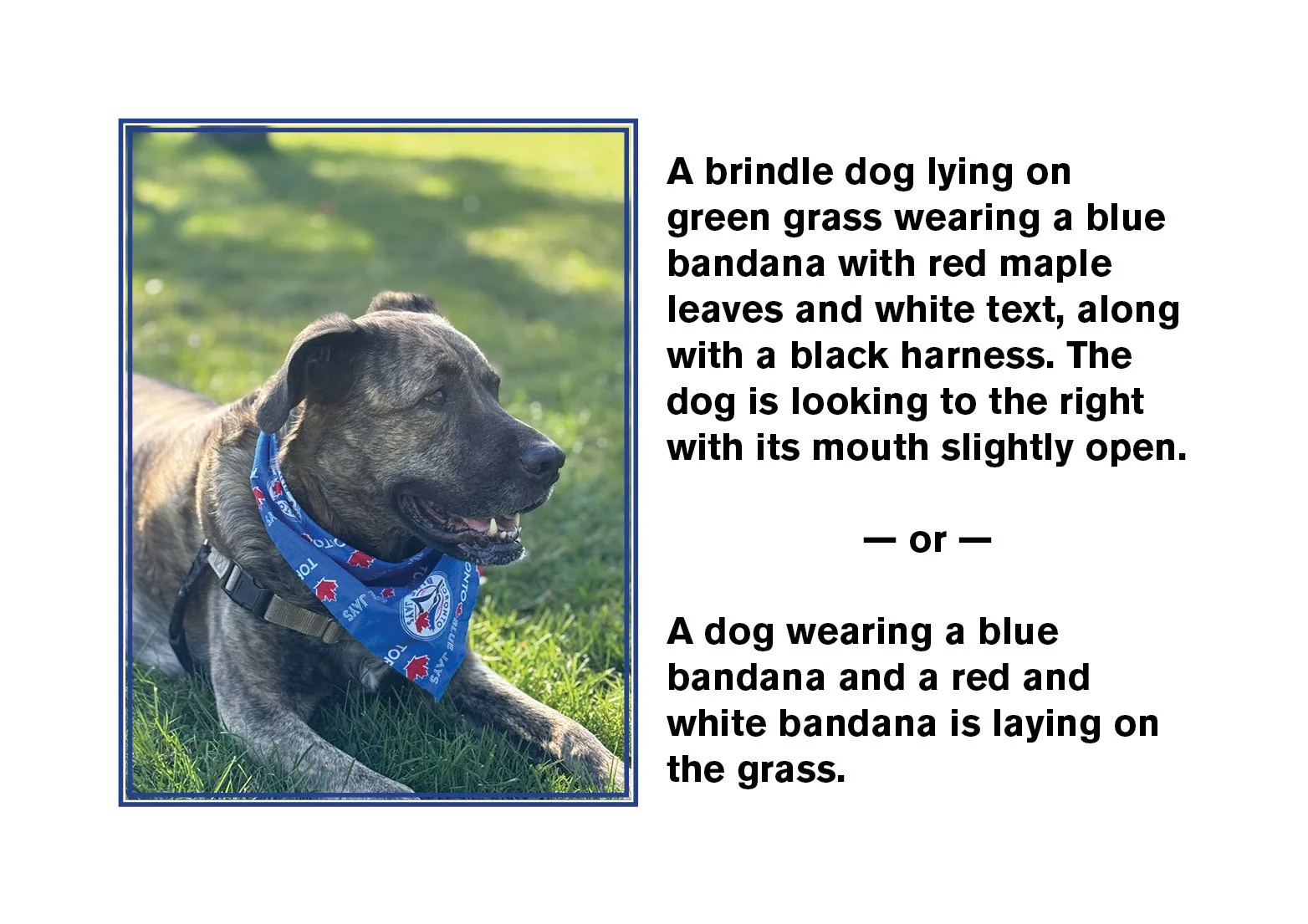
Photo of a dog next to two possible image descriptions: A brindle dog lying on green grass wearing a blue bandana with red maple leaves and white text, along with a black harness. The dog is looking to the right with its mouth slightly open. — or — A dog wearing a blue bandana and a red and white bandana is laying on the grass.
Generative artificial intelligence (AI) has exciting implications for digital accessibility. As the technology develops, we expect AI to address a variety of issues that impact users with disabilities. However, with any new technology, it’s important to understand the limitations — particularly when you’re trying to improve experiences for real-life users.
Recently, OpenAI rolled out image recognition capabilities for its flagship product, ChatGPT. Users can upload an image and ask the chatbot to describe the image. ChatGPT describes images with remarkable accuracy. Eventually, the tool could allow content creators to quickly generate alternative text (also called alt text) for thousands of images.
But there’s a catch: From a digital accessibility perspective, simply describing an image isn’t always sufficient.
The context in which an image appears is incredibly important to how it’s described. The image description should not repeat content already found in the surrounding text, for example. The alt text should be written at the same reading level of the content as well. Writing image descriptions for a grade five text book? That copy should be written at the same level.
How and where does generative AI fit into the task of image descriptions?
So how and where does generative AI fit into this context? There are many who believe that AI is a very useful tool but it’s really only a starting point for a thoughtful human-written/edited description that takes audience, purpose, context, and the structure of the image into account.
Tools You Can Use
InDesign 21.2, released in February 2026, now has a generative AI option for custom alt text. Spoiler alert: it’s not very good. In the header image, the bottom descriptions comes from InDesign’s gen AI tool. “A dog wearing a blue bandana and a red and white bandana is laying on the grass” is repetitive, wrong and, potentially, does not have enough detail.
There is a paid plug-in for InDesign that I can happily recommend which does a much better job. Roland Dreger has a tool called ALT-Text for InDesign which is much more capable and usable. Available from the Plug-Ins tab under “Stock & Marketplace” in the Creative Cloud app, this tool is $49.99 USD per year and is worth every penny. This is what it produced for the image of my dog in a Blue Jays kerchief: “A brindle dog lying on green grass wearing a blue bandana with red maple leaves and white text, along with a black harness. The dog is looking to the right with its mouth slightly open.”
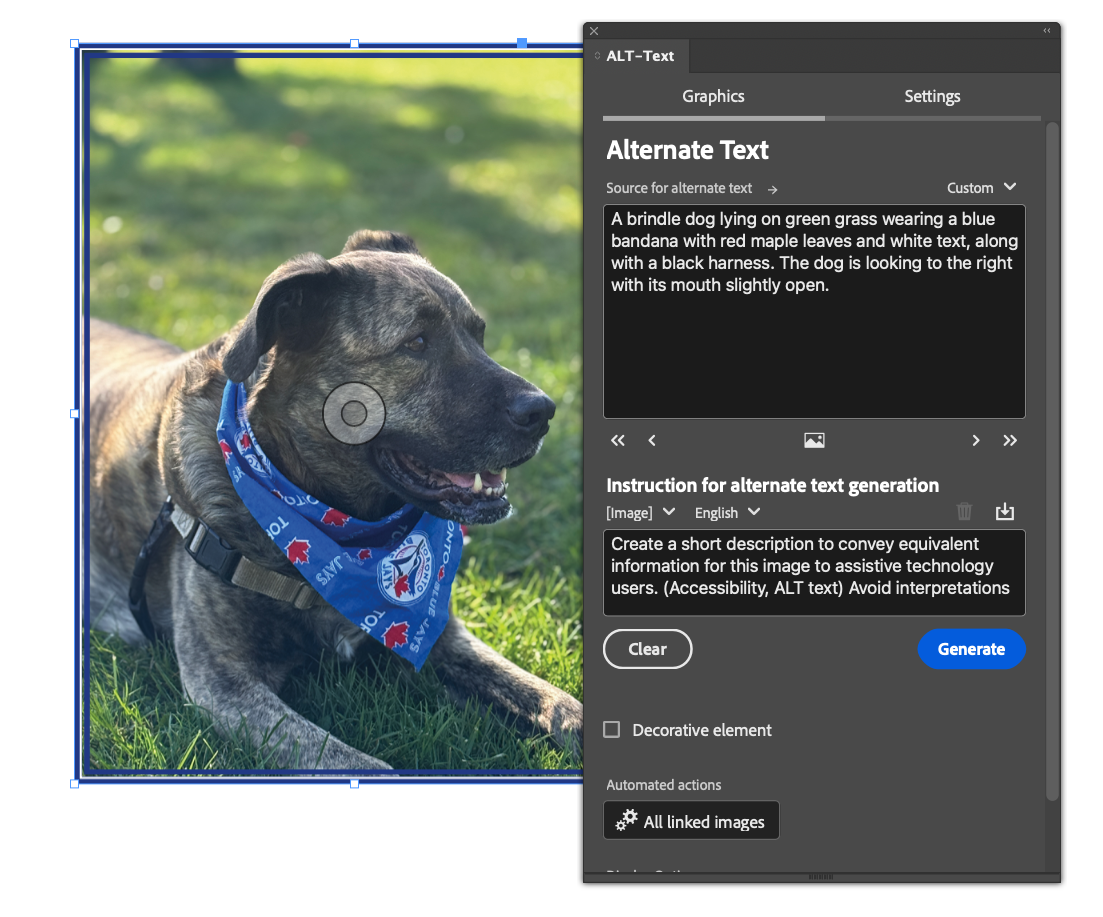
Screenshot showing both the photo from InDesign and the alt text results. One of the reasons this plugin is so good is that users can control the prompt. In this case it is, “Create a short description to convey equivalent information for this image to assistive technology users. (Accessibility, ALT text) Avoid interpretations and judgments. Avoid phrases such as ‘you can see in the picture’ or ‘a picture of’. If public figures can be recognized in the picture (e.g. politicians, actors, ...) give the names of the people.”
One of the reasons this plugin is so good is that users can control the prompt. Being able to be super specific about what you want in the description is the key to generating something that is useful. Once purchased, the user has the ability to switch between two different AI models: Open AI or Mistral AI. And there is a dropdown above the prompt in which you can specify the output language of the alt text.
My experimentation with this tool on a wide variety of kinds of content — ranging from children’s picture books, to photo books, to infographics — has been very positive. The alt is not perfect; it still needs a human eye to adjudicate it’s veracity and suitability for the specific content. But it is an excellent starting point. In the image of my dog, for example, I would probably want the fact that she’s wearing a Blue Jays bandana spelled out explictly, especially if this is going on my social media, say, during a baseball game. That’s a salient fact.
Go Forth and Experiment
I am very happy to see generative AI being exploited for accessibility and efficiency rather than creativity. What do you think? Is this a useful tool for your workflows? Are there other InDesign AI implementations that would be useful for accessibility? Please feel free to leave a comment or email me directly with your thoughts.